
Mass notification software with live chat and location tracking
Reach staff by SMS and email in one click, confirm delivery for every recipient and guide people to safety.
/Mass%20Comms/MassComms-floaty.png?width=300&name=MassComms-floaty.png)
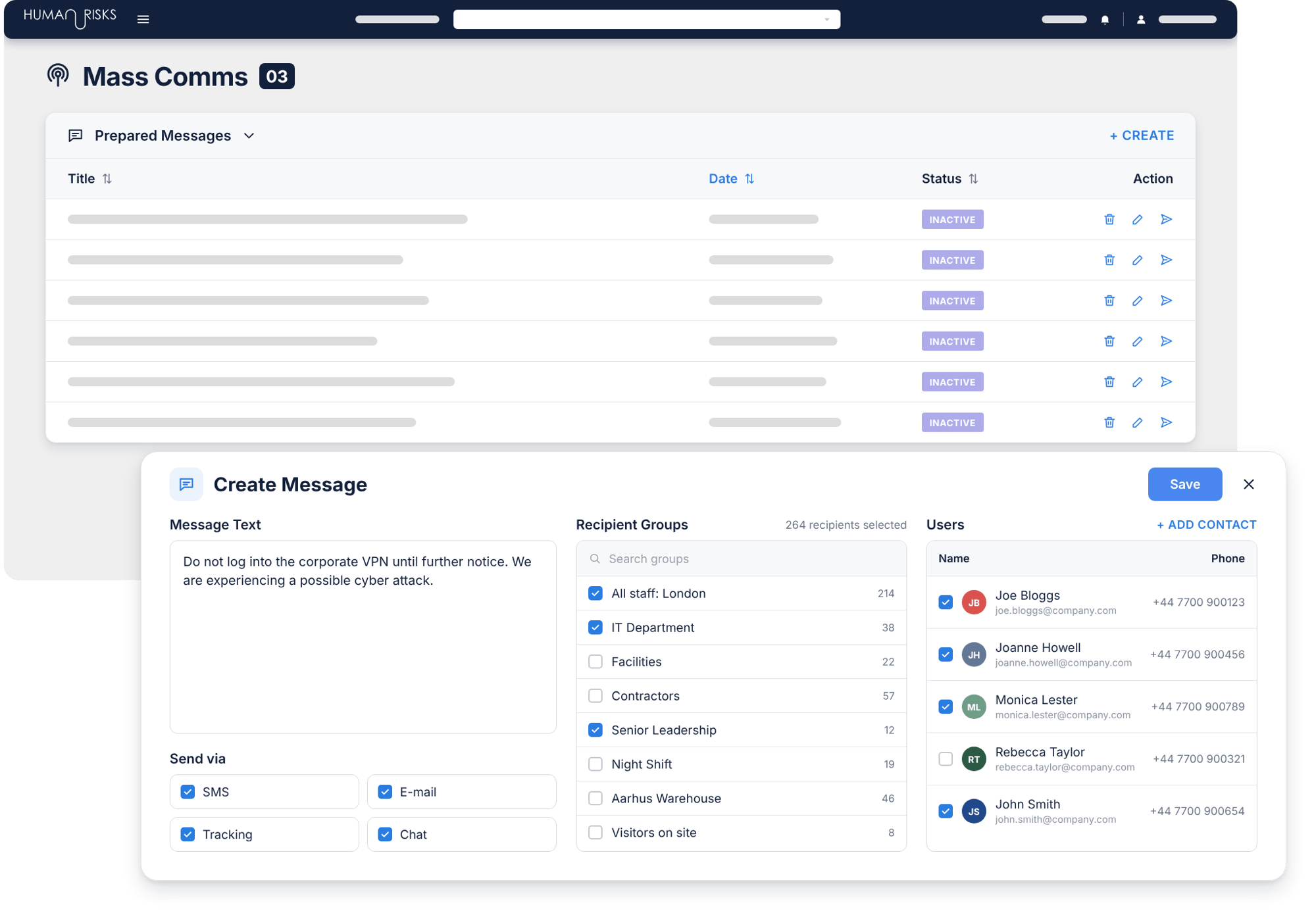
/Mass%20Comms/MassComms-create-message_1.png?width=2000&height=1388&name=MassComms-create-message_1.png)
Instant communication
Live chat and tracking
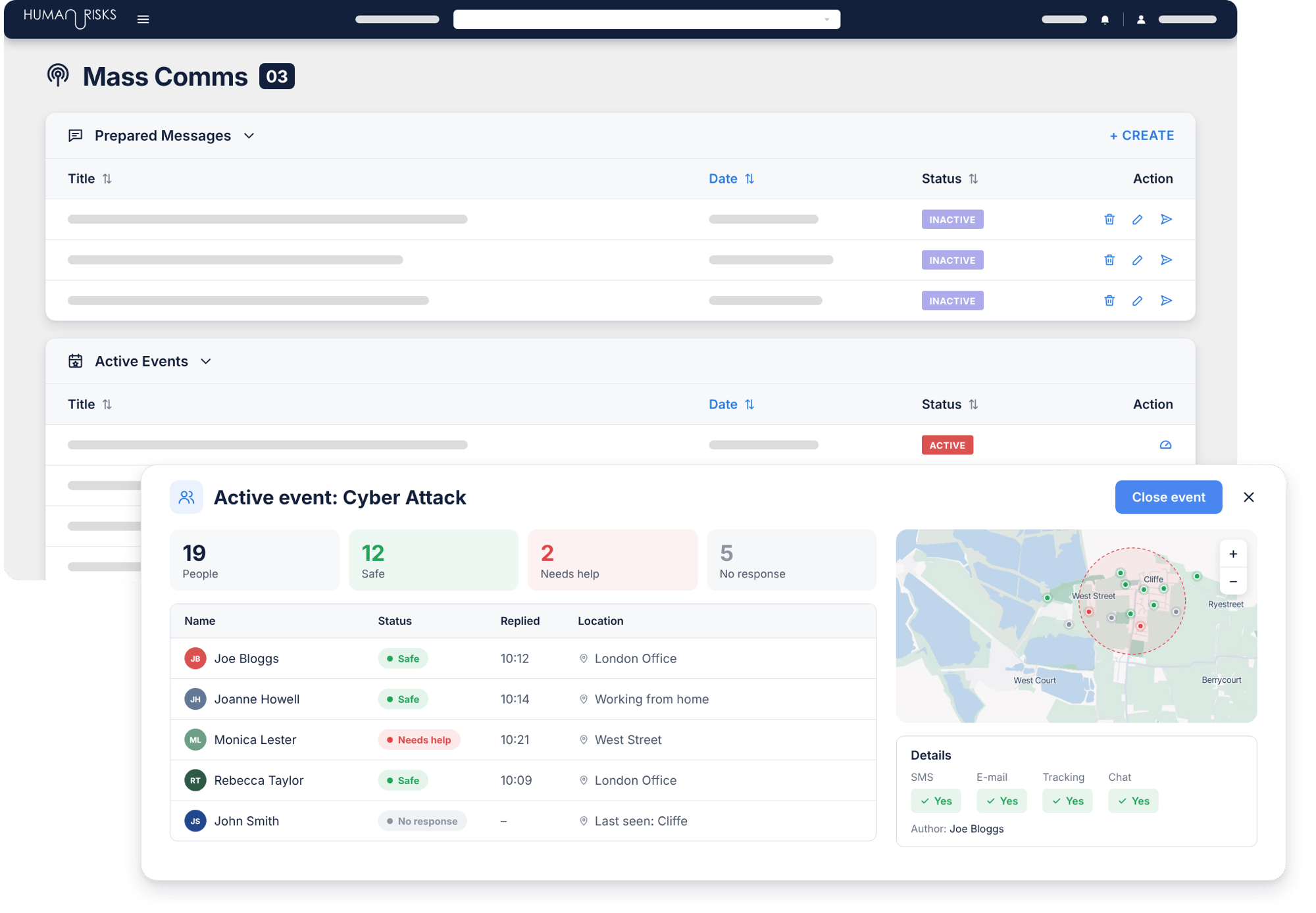
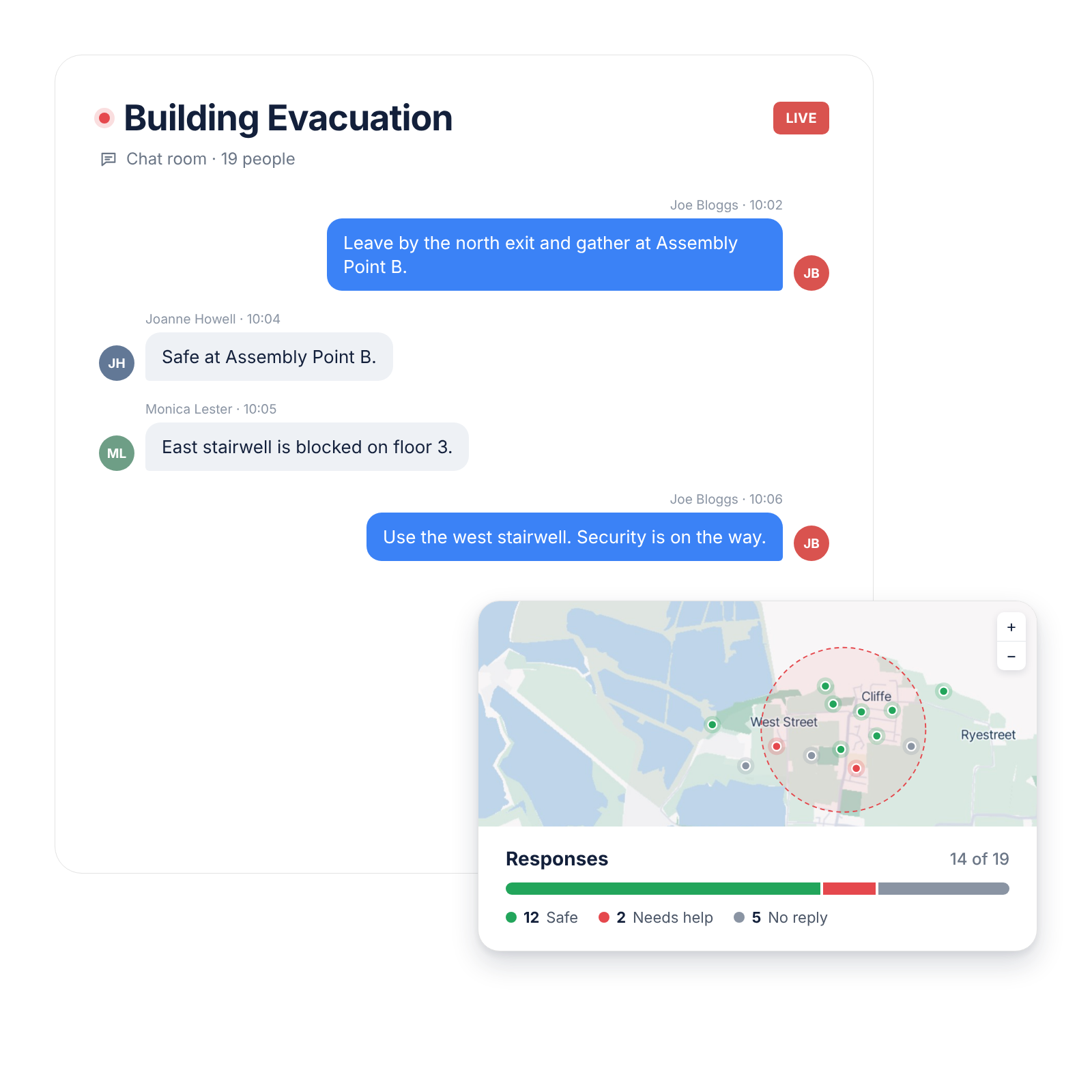
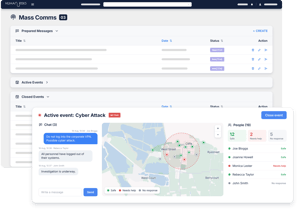
Mass Comms is more than text messages. Attach a link to any message that tracks a recipient's location live and open a direct chat with them to guide people to safety while an incident is still unfolding.
/Mass%20Comms/MassComms-people-responses.png?width=2000&height=1388&name=MassComms-people-responses.png)
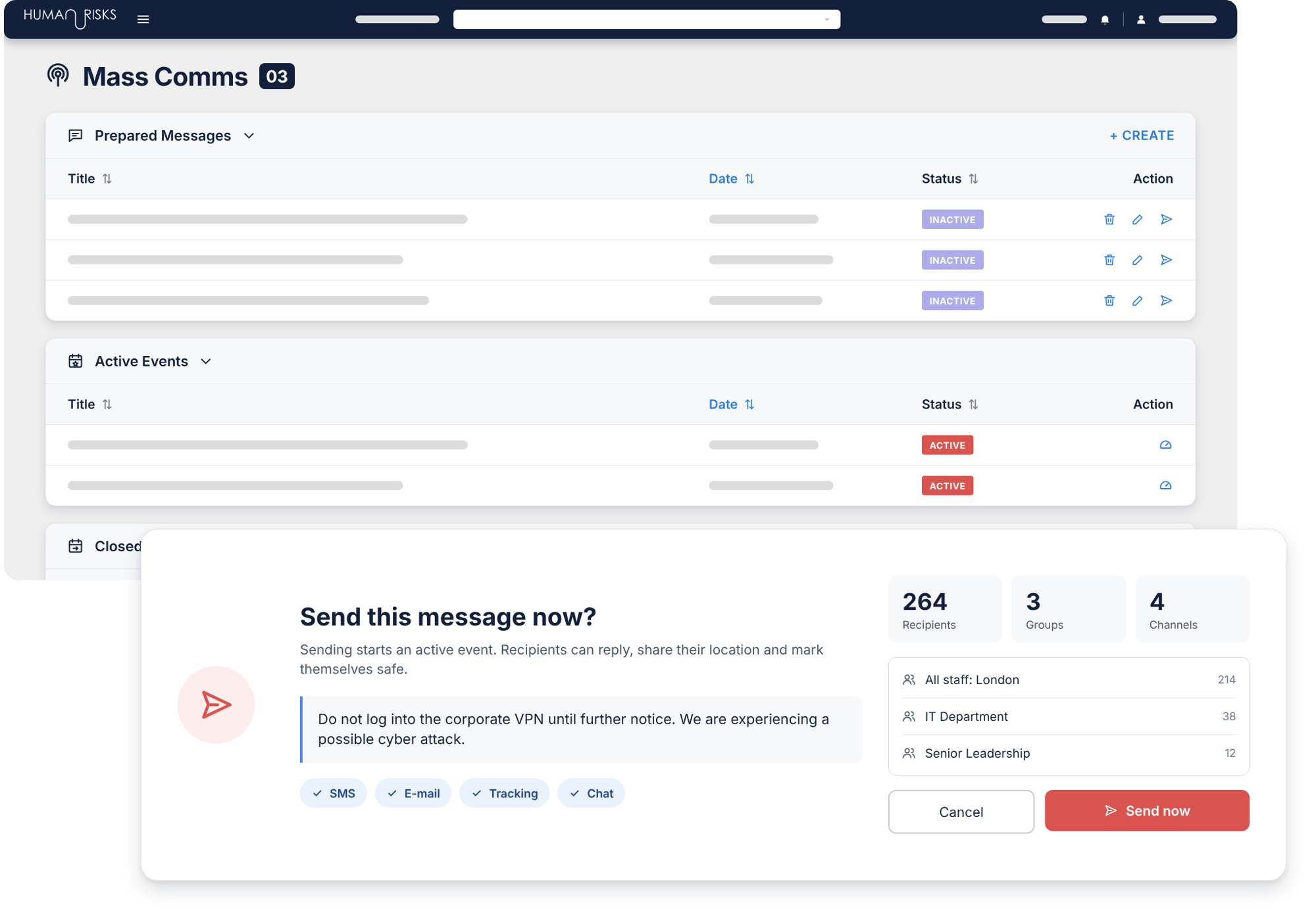
/Mass%20Comms/MassComms-send-message.png?width=2000&height=1388&name=MassComms-send-message.png)
Keep people in the loop
Communication matters most in a crisis. This module runs on Twilio, a global messaging provider, and delivers a status for every recipient, so security teams can reach staff across thousands of locations and know if the message landed.
How does it work?
Mass Comms enables security teams to prepare messages and recipient groups in advance and confirm delivery and location for every recipient. When something happens, speed and confirmation are everything. Here is how a mass notification goes out:
Set up recipient groups and draft quick messages before you ever need them.
Send a standalone message, or launch it as part of an event, like an ongoing crisis, with a live chat room attached.
Deliver by SMS, email, or both to your chosen group, in one click.
See the delivery status for every recipient, so you know who has been reached.
Use the live chat and location view to communicate directly and route people to safety.
Follow up until everyone is accounted for, then close out the event.
Discover the Mass Communications module
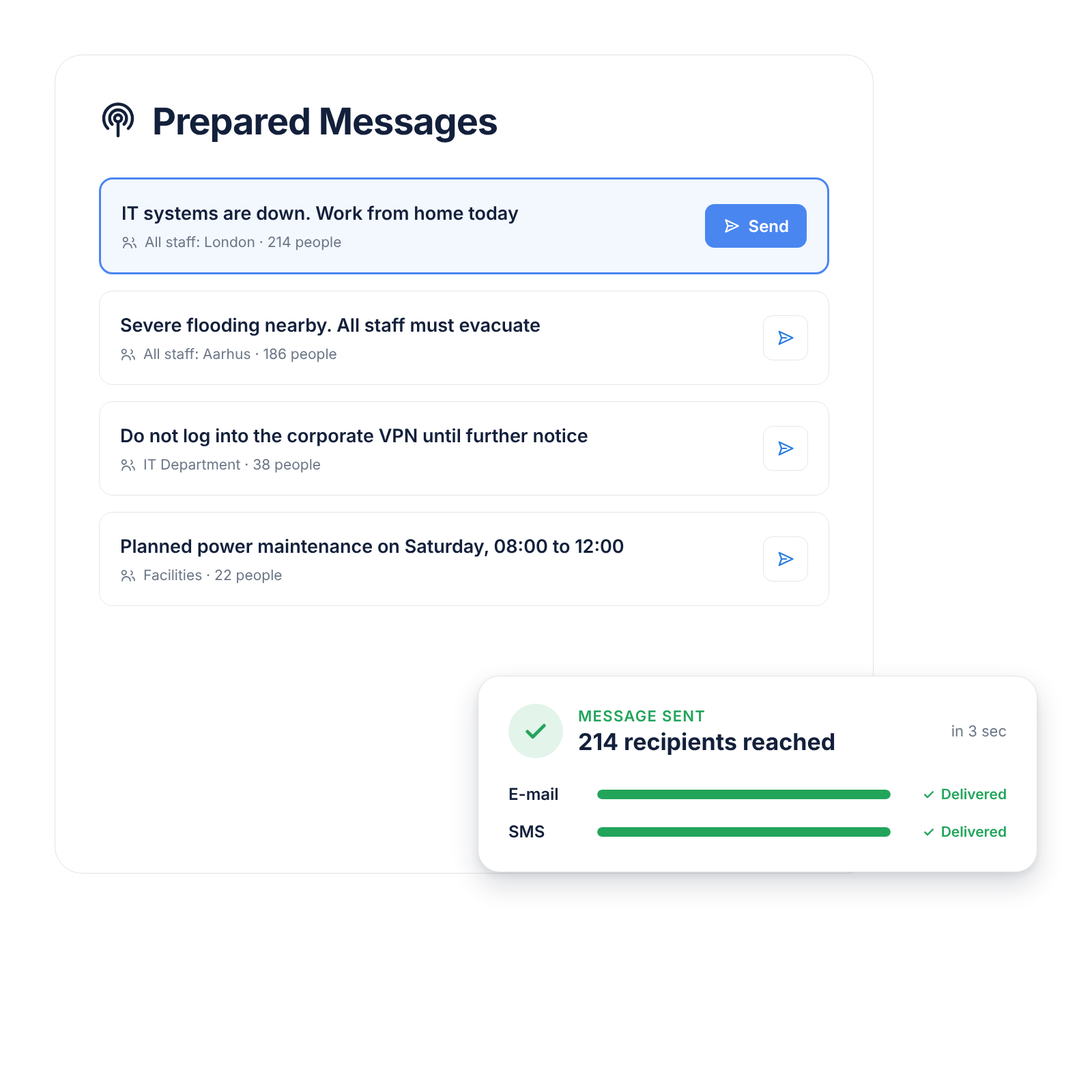
/Mass%20Comms/MassComms-square-standalone.png?width=1600&height=1600&name=MassComms-square-standalone.png)
Send a message, prepared well in advance
Not every notification is tied to an unfolding crisis. You can use Mass Communications to send a standalone message, whether that is alerting employees that IT systems are down or sharing a planned update, to a pre-defined list of contacts with a single click.
Because you can prepare recipient groups and quick messages in advance, sending takes seconds. Compiling a list and drafting a message from a blank page can take ten minutes while people are already asking questions. Every message goes out by email, SMS, or both, and a delivery status confirms it reached the people on the list.
Run live communication during an active event
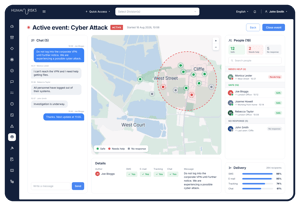
When you send a message as part of an event, like an ongoing crisis, Mass Comms becomes more than a one-way broadcast. A live chat room lets you communicate directly with recipients, and a map view shows where those recipients are in real time. That combination enables a security team to guide people to safety, and it means the team running the event has a continuous read on who has responded and who still needs to be reached.
/Mass%20Comms/MassComms-square-live.png?width=1600&height=1600&name=MassComms-square-live.png)
What else can you expect?
use
safety
Emergency notification only works if the messages arrive. This is why Mass Comms is built on Twilio, a global messaging provider.
That choice matters most in exactly the moments Mass Comms exists for: a provider outage or an undelivered message during an emergency is the failure the entire module is designed to prevent.
Delivery status for every recipient is a direct result of that infrastructure choice: you can see, per recipient, whether each message was delivered.
Mass Comms does not require an active crisis to be useful. A routine IT outage notice and a live emergency broadcast both go through the same module, prepared the same way, and sent the same way.
Live chat and location tracking can be enabled at any moment, so the module scales up its own functionality based on what the situation calls for.
A sent message is not the same as a safe person, and treating the two as equivalent is how organisations lose track of who still needs help during an emergency.
Delivery status shows who received the message. The live chat and location view, available on event-based messages, go a step further and show whether the people who received it are responding and where they currently are.
That distinction is what turns Mass Comms from a notification tool into an accountability tool: the goal is that everyone on the list is confirmed safe before you close the event.
See a security risk assessment
completed in 15 minutes
A live demo of Human Risks, built around your sites, threats and continuity plans.
Trusted by GSK, HSBC and IKEA · ISO 27001 certified
An integral part of your business continuity planning
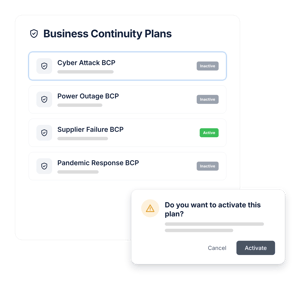
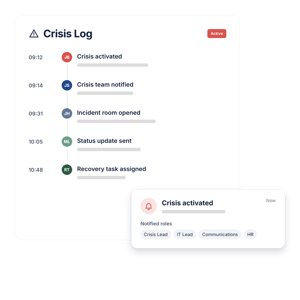
Mass Communications module works best alongside continuity and crisis modules, so every message goes out as part of the wider response.

Identify and visualise dependencies and critical operational assets for your company.
Read More/BIA/Crisis-square.png?width=300&name=Crisis-square.png)
Frequently Asked Questions
Mass Comms sends messages by SMS, email or both to the recipient group you choose, in one click. Security teams can reach staff across thousands of locations at once.
Yes. You can set up recipient groups and draft quick messages before you need them. When something happens, sending takes seconds instead of the ten minutes it takes to compile a list and write a message from scratch.
The module shows a delivery status for every recipient, in real time. You can see who has been reached and follow up with anyone who has not.
Yes. You can attach a link to a message that tracks a recipient's location live, and a map view shows where recipients are while an event is active. Together with the live chat, this lets your team guide people to safety and see who still needs help.
Mass Comms is built on Twilio. That infrastructure is what makes per-recipient delivery status possible, so you can confirm a message arrived.